



Summary
- Enterprise SSL certificate expiration management is accomplished through five key steps: comprehensive discovery, establishing clear ownership, risk-based alerting, automated renewals, and policy enforcement to ensure compliance
- SSL expiration under 47-day validity periods demands operational transformation, with organizations facing approximately 21 certificate operations daily for every 1,000 certificates
- SSL certificate discovery reveals the accurate scale of expiration risk, as automated scans routinely uncover five to ten times more certificates than manual tracking captures
- Certificate ownership gaps cause more SSL expiration outages than technical failures, underscoring the need for clear accountability and escalation paths in any management framework.
- Risk-based SSL expiration alerting prevents critical certificates from drowning in noise by routing notifications based on business impact rather than treating every certificate equally.
- SSL certificate renewal automation is no longer optional, as manual processes that barely functioned with annual certificates will collapse under monthly renewal cycles
- Certificate policy enforcement ensures SSL expiration automation strengthens security rather than bypassing it, with audit trails that simplify PCI DSS 4.0, SOC 2, and HIPAA compliance.
- Organizations that automate enterprise SSL expiration now gain a competitive advantage, preparing on their own timeline rather than scrambling to meet the March 2026 deadline.
The Enterprise SSL Expiration Challenge
SSL expiration management has become one of the most demanding responsibilities in enterprise security. Organizations now manage tens of thousands of certificates across hybrid multi-cloud environments, with machine identities outnumbering human identities by 40:1.
SSL expiration risks intensify under the CA/Browser Forum’s Ballot SC-081v3, approved in April 2025, which compresses maximum digital certificate validity from 398 days to just 47 days by March 2029.
SSL expiration volumes under 47-day lifecycles demand a fundamental shift. An enterprise managing 1,000 certificates processes approximately 21 certificate operations per day. Manual tracking methods will collapse under this workload.
Organizations that thrive will move from reactive firefighting to proactive certificate lifecycle management, transforming SSL expiration into a streamlined, automated process.
Building Your Enterprise’s SSL Expiration Management Framework

Effective enterprise-level SSL expiration management requires a structured, phased approach. The following five-step framework transforms reactive certificate firefighting into proactive lifecycle governance.
Step 1: Comprehensive Certificate Discovery
Enterprise-level SSL expiration management starts with visibility. You cannot renew what you cannot see, and what you cannot see directly scales with the enterprise level. Automated certificate discovery routinely uncovers five to ten times more certificates than spreadsheets and manual tracking capture.
Scanning methods that deliver complete visibility:
- Network scanning probes TLS-enabled ports to surface certificates across your infrastructure.
- CA account synchronization pulls records directly from your Certificate Authorities.
- Cloud platform connectors integrate with AWS, Azure, and Google Cloud services.
- Certificate Transparency log monitoring alerts you to certificates issued for your domains outside standard processes.
Certificate types to bring under management:
- Public digital certificates, which are subject to the 47-day mandate
- Private and internal certificates from enterprise CAs
- Wildcard certificates that represent single points of failure
- Code signing certificates protecting software integrity
Shadow certificates and rogue CAs create the visibility gaps that lead to unexpected outages. Development teams often provision certificates outside approved channels. Comprehensive discovery identifies these risks before they become incidents.
AVX ONE CLM brings these discovery methods together through Smart Discovery, building a centralized inventory with complete metadata in a single unified engine
Step 2: Establish Ownership and Accountability
SSL expiration incidents often trace back to a single root cause: no one owned the certificate. The fundamentals of certificate lifecycle management emphasize that ownership must be explicit and enforceable.
It’s vital to build accountability into your process:
- Map certificates to applications and business owners so every certificate has someone responsible for its renewal.
- Define escalation paths that activate when primary owners do not respond to alerts.
- Create a certificate governance model with clear policies for requests, approvals, and renewals.
- Coordinate across teams, bringing PKI, Security, DevOps, and application owners into alignment.
Ownership should follow the application, not the certificate. When team members change roles, certificate responsibility transfers with the application.
A Machine Identity Management Working Group brings cross-functional stakeholders together, establishing shared accountability that aligns with enterprise identity governance best practices.
Step 3: Implement Risk-Based Alerting
SSL expiration alerts only work when the right people see them at the right time. Not all certificates carry equal risk, and your alerting strategy should reflect that reality. NIST Special Publication 1800-16 recommends completing renewals at least 30 days before expiration. Build your alert thresholds around this guidance.
Table 1: Multi-Stage Alert Framework
| Days Before Expiry | Alert Level | Action Required |
| 90 days | Informational | Automated renewal initiated |
| 60 days | Warning | Primary owner notified |
| 30 days | Elevated | Escalation to technical contact and manager |
| 14 days | Critical | Senior leadership notified; emergency procedures activated |
| 7 days | Emergency | All hands alert; imminent risk dashboard |
Making alerts actionable:
- Criticality-based routing ensures tier 1 certificates (customer-facing, revenue-critical) receive immediate attention while tier 3 certificates (internal, non-production) follow standard workflows
- ITSM integration creates trackable tickets automatically
- Escalation automation triggers when owners do not act within defined timeframes
AppViewX integrates with ServiceNow and other ITSM platforms to route alerts into workflows your teams already use.
Step 4: Automate the Renewal Workflow
SSL expiration becomes a non-issue when renewals happen automatically. Manual processes designed for annual certificates cannot scale to 47-day lifecycles. Automation transforms renewal from a labor-intensive task into a reliable, hands-off process.
Protocol options that enable automation:
- ACME (Automated Certificate Management Environment), defined in RFC 8555, delivers fully automated domain validation and renewal.
- EST (Enrollment over Secure Transport) supports enterprise device enrollment with strong authentication.
- SCEP (Simple Certificate Enrollment Protocol) supports mobile device management.
- Native Windows auto-enrollment leverages Active Directory Group Policy for domain-joined systems.
What full automation looks like:
- Domain Control Validation is completed automatically via DNS or HTTP challenges.
- Provisioning deploys renewed certificates to load balancers, web servers, and containers without manual intervention.
- Validation confirms successful installation and proper certificate chain configuration.
- Rollback reverts to the previous certificate if deployment fails.
AppViewX closed-loop automation executes the entire renewal workflow from expiration monitoring through validation. For enterprises preparing for 47-day certificate lifecycles, this level of automation is not optional.
Step 5: Enforce Policy and Governance
SSL expiration management without governance creates new risks. Automation should enforce your security standards, not bypass them.
Policies that protect your environment:
- Approved CAs limit which Certificate Authorities can issue certificates for your organization
- Cryptographic standards enforce minimum key lengths (2048-bit RSA or 256-bit ECC) and approved signature algorithms (SHA-256 or stronger)
- Role-based access control ensures requesters cannot approve their own certificates, approvers operate within a defined scope, and auditors have read-only access
- Audit trails capture every certificate lifecycle action for compliance evidence
Compliance frameworks that require documentation:
- PCI DSS 4.0 mandates an annual review of cryptographic cypher suites
- SOC 2 requires audit trails for certificate lifecycle activities
- HIPAA demands encryption controls for protected health information
Preventing policy drift requires continuous monitoring. Policies established today erode as exceptions accumulate. Automated enforcement catches violations in real time before non-compliant certificates reach production.
AppViewX compliance policy enforcement automates evidence collection and generates audit-ready reports, reducing quarterly audit preparation from days to hours.
Implementation Roadmap: From Discovery to Enterprise Scale
SSL expiration management transformation does not happen overnight. A phased approach builds confidence, delivers early wins, and establishes the foundation for enterprise-wide automation.

Table 2: Phased Implementation Roadmap
| Phase | Timeline | Scope | Key Activities |
| Discovery | Weeks 1-4 | Full environment | Deploy scans; build inventory; identify owners; baseline metrics |
| Pilot | Weeks 5-12 | 20-30% of portfolio | Automate non-critical certificates; validate workflows |
| Production | Months 3-6 | Critical certificates | Extend automation; implement policy enforcement; ITSM integration |
| Enterprise Scale | Months 6-12 | Full coverage | Comprehensive automation; continuous improvement |
Prioritize for maximum impact. Start where the risk is highest. Complex edge cases and legacy systems can wait until your core automation processes are proven and your team has built operational confidence.
- External-facing certificates that customers and partners interact with daily
- High-traffic applications where minutes of downtime translate to revenue loss
- Certificates approaching expiration that need immediate attention
- Wildcard certificates protecting multiple services under a single point of failure
Why SSL Expiration Management Fails: Common Breakdown Points
SSL expiration outages rarely stem from technical limitations. They stem from process gaps, unclear ownership, and tools that create visibility silos rather than eliminate them.
Understanding these failure patterns helps you build a management framework that avoids them.
Table 3: Common SSL Expiration Management Failure Points
| Failure Point | Root Cause | Business Impact |
| Ownership ambiguity | Certificate requesters leave or change roles without transferring responsibility | Renewal alerts go to inactive addresses; certificates expire unnoticed |
| Shadow certificates | DevOps and cloud auto-provisioning create certificates outside standard processes | Unknown certificates expire without warning |
| Siloed CA tools | Each CA’s tool only tracks its own certificates | Fragmented visibility; some certificates fall through cracks |
| Alert fatigue | Too many low-priority notifications | Critical alerts get buried among routine notifications |
| Escalation gaps | No process when primary owners fail to act | Alerts expire alongside the certificates they protected |
| Tribal Knowledge | Renewal procedures exist only in specific team members’ heads | Staff departures leave gaps no documentation fills |
The pattern across these failures is consistent: fragmented visibility, unclear accountability, and manual processes that cannot scale. Organizations that address these root causes are better positioned to manage SSL expirations proactively rather than reactively.
Evaluating Certificate Lifecycle Management Solutions
SSL expiration management at enterprise scale requires purpose-built tooling. The right platform should solve today’s challenges while positioning you for the demands of 47-day lifecycles and post-quantum cryptography.
Table 4: CLM Evaluation Checklist
| Capability | Priority | What to look for |
| Multi-CA support | Must-have | Works with every CA you use today and any you might adopt tomorrow |
| Automated discovery | Must-have | Finds shadow certificates across hybrid and multi-cloud environments |
| Zero-touch renewal | Must-have | Handles the full renewal workflow without human intervention |
| Policy enforcement | Must-have | Blocks non-compliant certificates before they reach production |
| Cloud connectors | Must-have | Native integration with AWS, Azure, and GCP |
| Kubernetes support | Good-to-have | Works with cert-manager and service mesh platforms |
| Post-quantum readiness | Good-to-have | Supports hybrid certificates and algorithm migration paths |
Questions that reveal platform maturity:
- What percentage of certificates can be renewed without any manual steps?
- How does discovery handle containers, serverless, and ephemeral workloads?
- Can policies enforce different standards for production versus development?
- What does the migration path for 47-day certificate support look like?
Red flags that signal future limitations:
- Single-CA platforms that lock you into one provider’s ecosystem
- Agent-only architectures with no agentless discovery options
- Closed systems lacking API access for custom integrations
- Vendors with no roadmap for shortened certificate lifecycles
AppViewX AVX ONE CLM for Kubernetes delivers native container platform integration, bringing the same visibility and automation to cloud-native workloads that enterprises expect for traditional infrastructure.
Preparing for 47-Day Certificates
SSL expiration management is entering a new era. The 47-day certificate mandate does not just shorten renewal cycles. It fundamentally changes how organizations must approach certificate operations.
What the timeline looks like:
| Milestone | Maximum Validity | Operational Impact |
| March 2026 | 200 days | Renewal frequency nearly doubles |
| March 2027 | 100 days | Quarterly renewals become the norm |
| March 2029 | 47 days | Monthly renewal cycles for every certificate |
Organizations that delay automation until the first 200-day deadline in March 2026 face compressed implementation timelines, competing priorities, and elevated risk during the transition. Those who act now spread the effort across months rather than weeks. Organizations that prepare now gain seamless compliance, crypto-agility and post-quantum readiness while peers scramble to adapt.
Take Control of Enterprise SSL Expiration
AppViewX Smart Discovery finds certificates across hybrid and multi-cloud environments that spreadsheets miss. Closed-loop automation handles renewals without manual intervention. Policy enforcement ensures that every certificate meets your security standards before it reaches production.
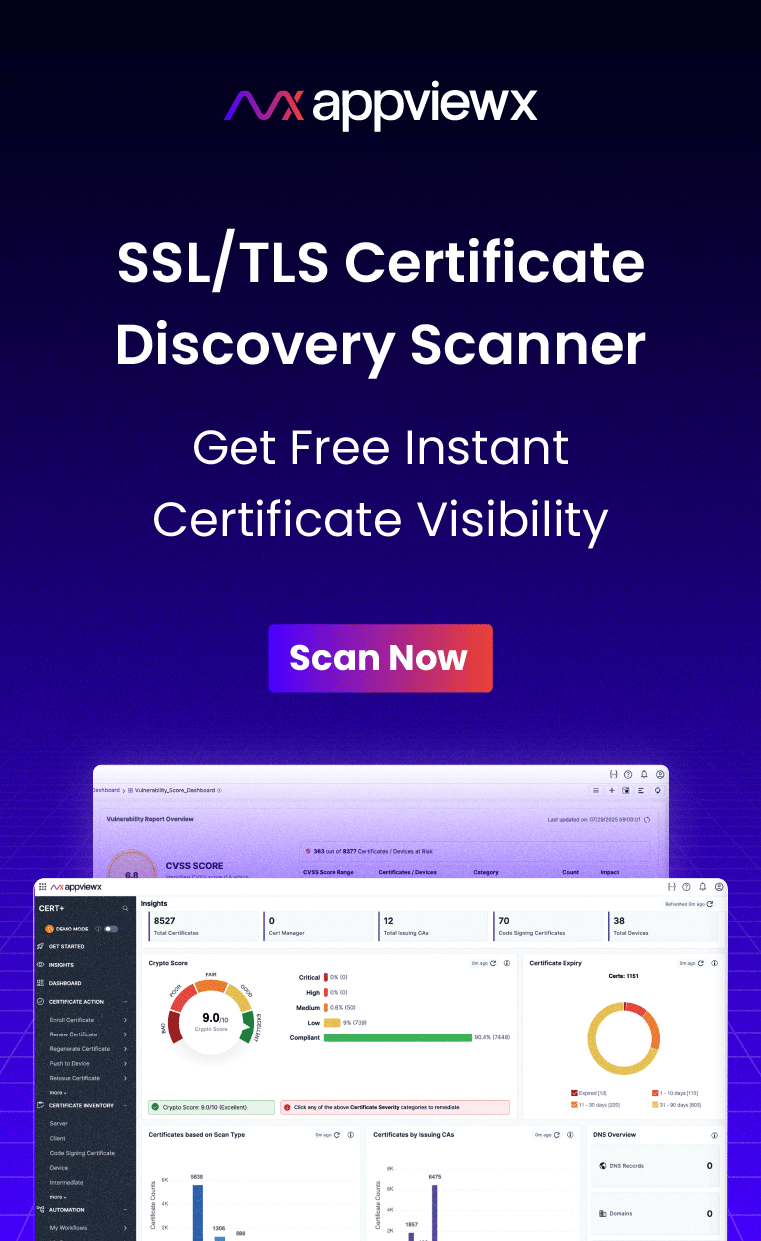
See your current exposure. Request a free SSL certificate scan to discover your public certificates and their expiration status, no commitment required.
Explore what automation looks like Schedule a personalized demo to see how AppViewX transforms enterprise SSL expiration management for organizations like yours.
Tags
About the Author

Ganesh Mallaya
Distinguished Architect & technical Evangelist
Enabling businesses to design, engineer and deploy automation and Digital trust management solutions.